Parents get practical help at home
A working parent can open LearnSpark after school, generate the right lesson plan, teach it, and leave with notes and progress already handled.

Impact / Teams
LearnSpark for Teams gives working parents a simple way to help their children learn at home: ready-to-teach lesson plans, automatic notes, progress, gaps, standards and reports connected in one place.
Parents do not need another portal. They need to know what to teach next when their child is stuck, bored or ready for more.
Why it matters
A working parent can open LearnSpark after school, generate the right lesson plan, teach it, and leave with notes and progress already handled.
LearnSpark helps families catch small misunderstandings early, rebuild missing skills and keep learning moving.
This is not another perk that only helps at work. It reaches the family pressure many parents carry quietly.
Inside a lesson plan
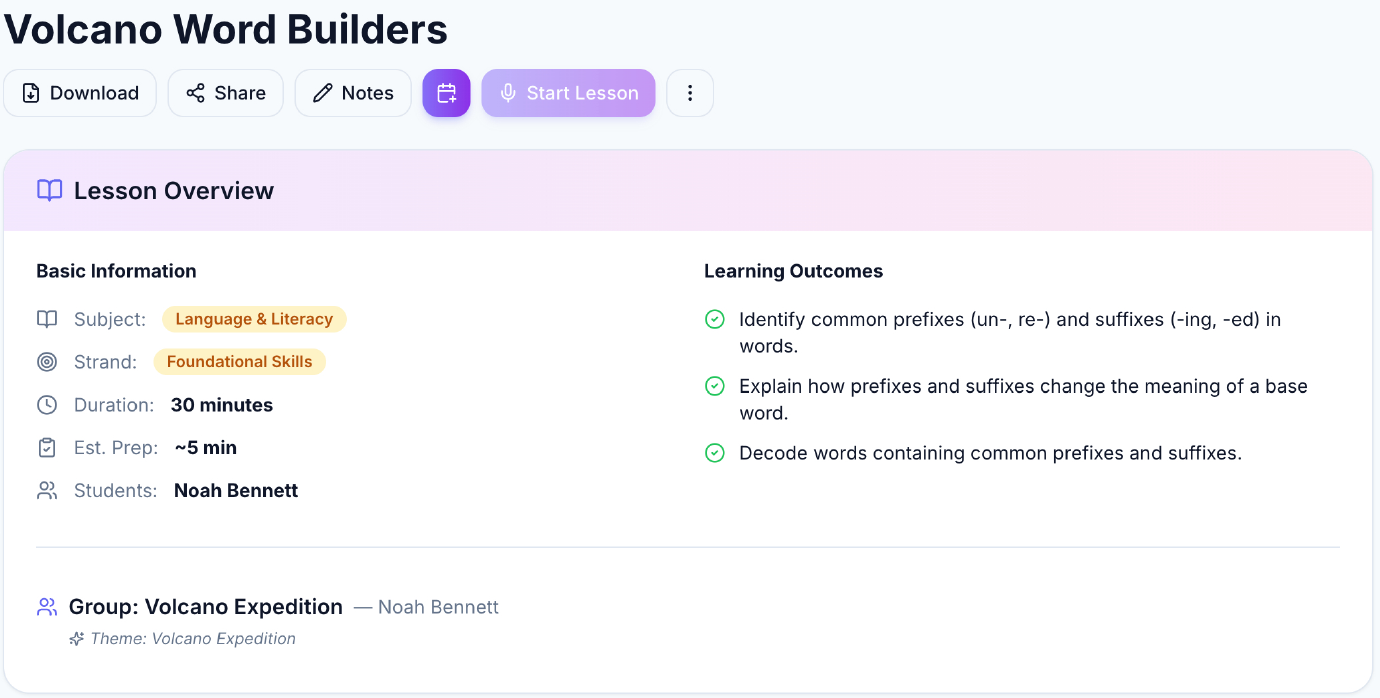
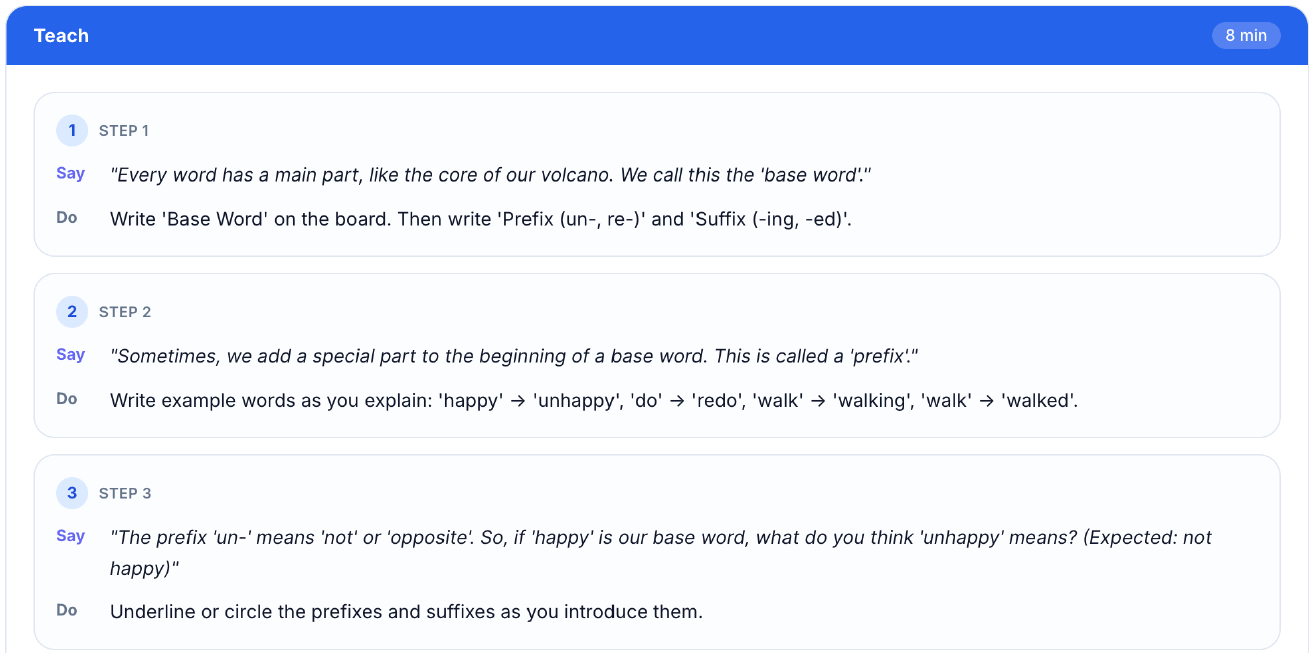
Volcano Word Builders turns literacy skills into an adventure around the child's interests. This example includes a 30-minute lesson plan with approximately five minutes of preparation and practical guidance for the parent.
Employee experience
A parent can use LearnSpark for one lesson plan a day, a difficult subject, multiple children, or a full homeschool rhythm.
LearnSpark for Teams runs as a supported benefit: families get a clear first step, practical onboarding, and somewhere to go when they need help.
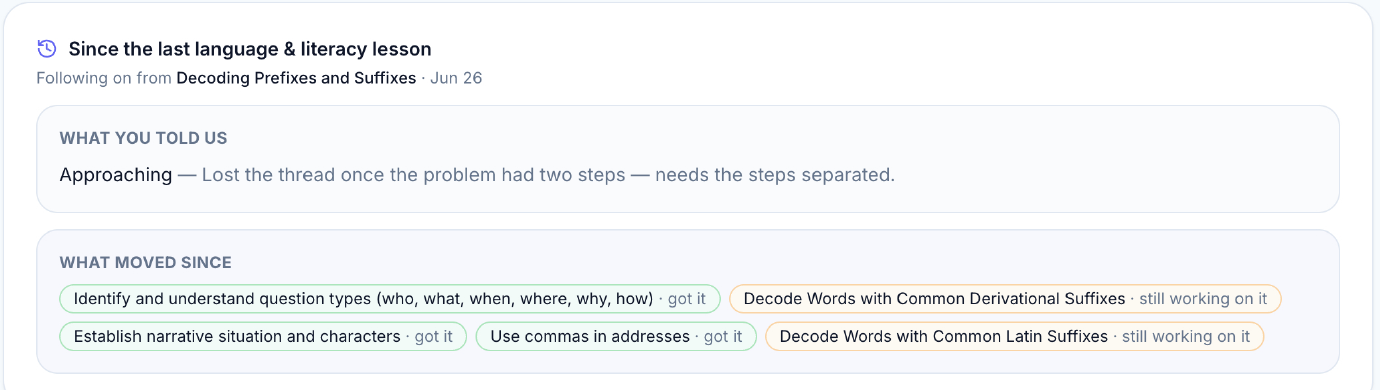
Built for the parent doing the teaching. LearnSpark automatically adapts the next lesson plan using feedback, progress and the child's learning needs.
Simple pilot
Start with a supported pilot for 50 employee households. Each family gets unlimited access, with practical help to get started and support along the way.
Includes unlimited family access, rollout materials, guided onboarding, participant support and an aggregate summary report.
You decide what happens next. Continue, adjust the approach or conclude the pilot based on participation and family feedback.
You see program-level activation and agreed aggregate reporting, never a child's name, lesson plans, learning notes, gaps, progress or family records.
Support and measurement
Guided onboarding helps families set up their account and teach from their first lesson plan. Short walkthroughs, practical answers and optional group sessions support them through rollout. Together, we agree how success will be measured.
Proposed starting targets to agree before launch. These are evaluation goals, not historical results or guaranteed outcomes.
Keep the whole pilot visible. Report funded places in use out of 50, repeat use at 30, 60 and 90 days, support needs and your team's administration time. Agree the reporting method before launch.
For example, 40% activation from 50 offers means 20 families. Participation, capacity and parent feedback inform your decision to continue; they do not establish financial ROI or employee retention gains. All reporting stays at program level.

In 20 minutes, see the parent experience and discuss your pilot, rollout timing and success measures. No preparation and no obligation.